Set up an eSIM without the tech stress
If you have never used an eSIM before, setup can look more complicated than it really is. The key is to separate purchase, installation and actual mobile-data use.
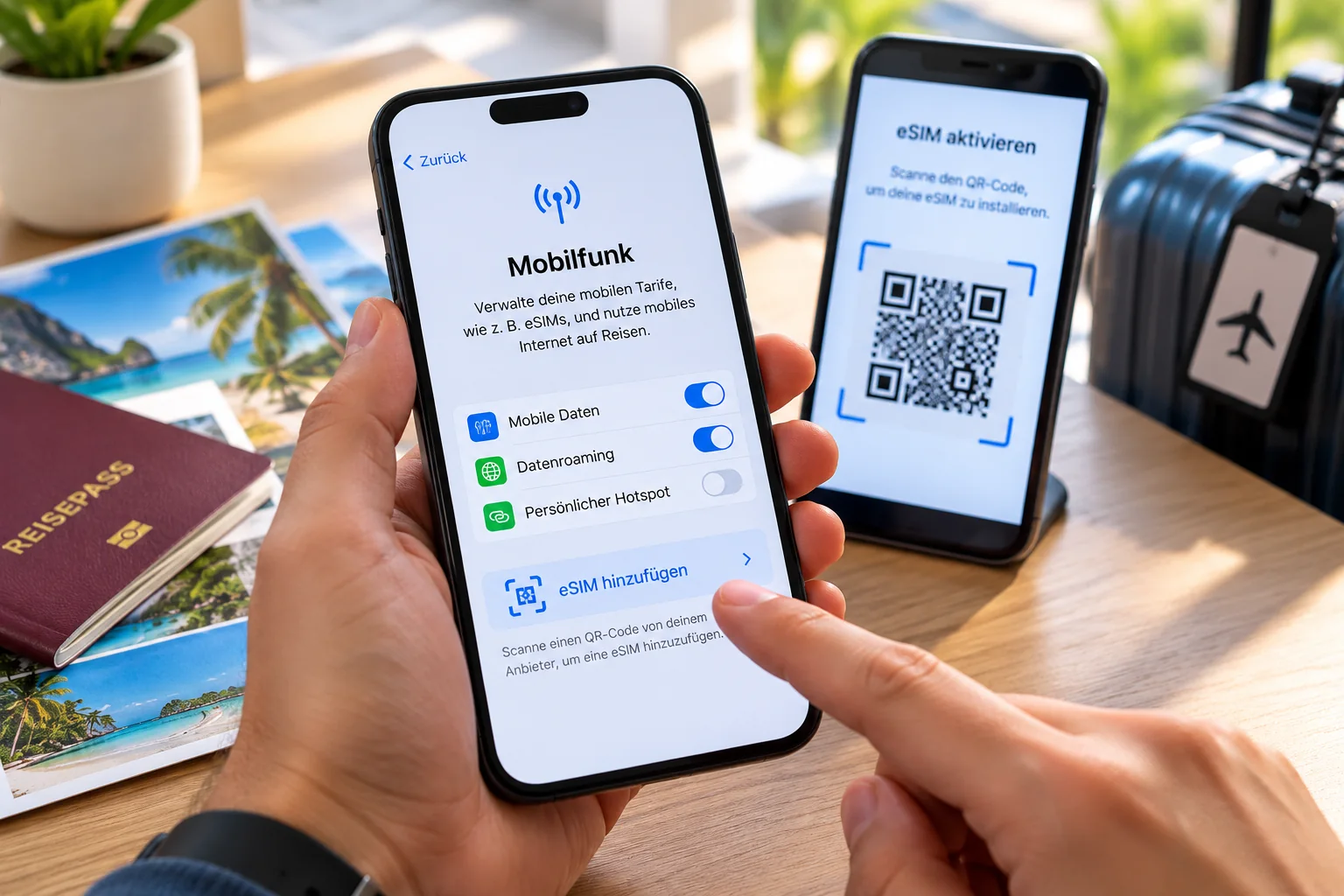
Before buying: check three things
First check whether your exact phone model supports eSIM, whether the device is unlocked, and whether the plan includes the features you need. Trip length, data allowance, tethering and—if relevant—5G are especially important.
1. Choose and buy an eSIM plan
Select your destination and compare the available plans. Check the final price and contract conditions on the provider’s website immediately before buying.
2. Save the installation details
After purchase, the provider supplies the eSIM installation information. This is often a QR code, sometimes with an activation code or manual setup data. Save it somewhere you can access while travelling.
3. Add the eSIM to your phone
Menu names vary by manufacturer and operating system. A typical route is Settings → Mobile/Cellular or Connections → Add eSIM. Then scan the QR code or enter the supplied details manually.
4. Give the travel eSIM a clear name
Use a label such as “Thailand eSIM” or “USA Travel”. This makes it much easier to distinguish the travel line from your regular SIM when assigning mobile data.
5. Assign mobile data correctly
You can usually keep your normal SIM active for calls and texts. At your destination, switch mobile data to the travel eSIM so your home plan is not accidentally used for data roaming.
6. Enable data roaming only where needed
Many international eSIMs need data roaming because they connect through partner networks. Enable roaming only for the travel eSIM if the plan instructions require it. Your normal SIM can remain disabled for mobile data.
7. If the eSIM does not work immediately
Check in order: Is the eSIM enabled? Is it selected for mobile data? Is data roaming enabled for that eSIM if required? Is there network coverage? Has the plan validity started? Only then try a restart or contact the provider.
iPhone, Android, Samsung and Pixel
Menu names differ, but the basic process is the same: add the eSIM, use the installation details, name the line, assign mobile data correctly and follow the instructions for the specific plan.
Frequently asked eSIM questions
What is an eSIM?
An eSIM is a digital SIM profile stored on a compatible device. You do not need to insert a physical plastic SIM card.
How do I install an eSIM?
After purchase, the provider sends installation details, often as a QR code. Open the phone’s mobile network settings, choose the option to add an eSIM and follow the instructions.
When should I install a travel eSIM?
It is usually convenient to prepare the installation before travelling while you have reliable Wi-Fi. Whether validity starts immediately or only when the eSIM first connects depends on the provider and plan, so check the terms before activation.
Do I need data roaming?
Many travel eSIMs require data roaming because they connect through partner networks. Enable roaming only for the travel eSIM when the plan instructions require it.
Can I keep my normal SIM active?
On dual-SIM devices, you can usually keep your normal SIM active. Make sure mobile data is assigned to the travel eSIM so your home plan is not accidentally used for roaming data.
How do I know whether my phone supports eSIM?
Support depends on the exact device model and sometimes the sales region. Check the phone settings and the manufacturer specifications for your exact variant.
How much data do I need while travelling?
Messaging, maps and occasional searches use relatively little data. Social media, video, cloud backups, long navigation sessions and hotspot use consume much more. Leave some reserve.
What does Unlimited mean on an eSIM plan?
Unlimited does not always mean full speed without limits. Some plans have fair-use rules or reduce speed after a daily allowance. The provider’s plan conditions are decisive.
Can I use hotspot or tethering with an eSIM?
Many plans allow tethering or a personal hotspot, but not all. eSIMFINDER shows this feature when it is present in the partner feed. Check the provider’s final plan details before buying.
Do I need a new number for WhatsApp?
No. A data eSIM can provide the internet connection while WhatsApp remains registered to your existing number. Whether an eSIM plan includes its own phone number depends on the specific plan.
Is 5G automatically faster?
5G can offer higher speeds, but real performance depends on coverage, network load, the device and the plan. A 5G label does not guarantee a particular speed everywhere.
What happens when I use all my data?
Depending on the plan, data may stop, speed may be reduced or a top-up may be available. When the partner feed provides top-up information, we include it in the plan details.